> ## Documentation Index
> Fetch the complete documentation index at: https://docs.withrelic.com/llms.txt
> Use this file to discover all available pages before exploring further.
# Project Collaboration
> Share projects with teammates while keeping secrets encrypted.
Relic lets you share projects with other users. Each collaborator gets their own encrypted copy of the project key, so they can decrypt secrets using their own master password. The server never sees any plaintext keys.
## How Sharing Works
When you share a project:
1. The project's AES-256 key is decrypted on your device using your private key
2. The key is re-encrypted (wrapped) with the collaborator's RSA public key
3. The wrapped key is stored on the server as a `projectShare` record
The collaborator can now decrypt the project key with their own private key and access all secrets in the project.
Both users must have completed the password setup (encryption keys generated) before sharing is
possible.
## Adding a Collaborator
Open the TUI and navigate to any environment in the project:
1. Press `c` to open the collaborator management modal
2. Press `n` to add a new collaborator
3. Enter their email address
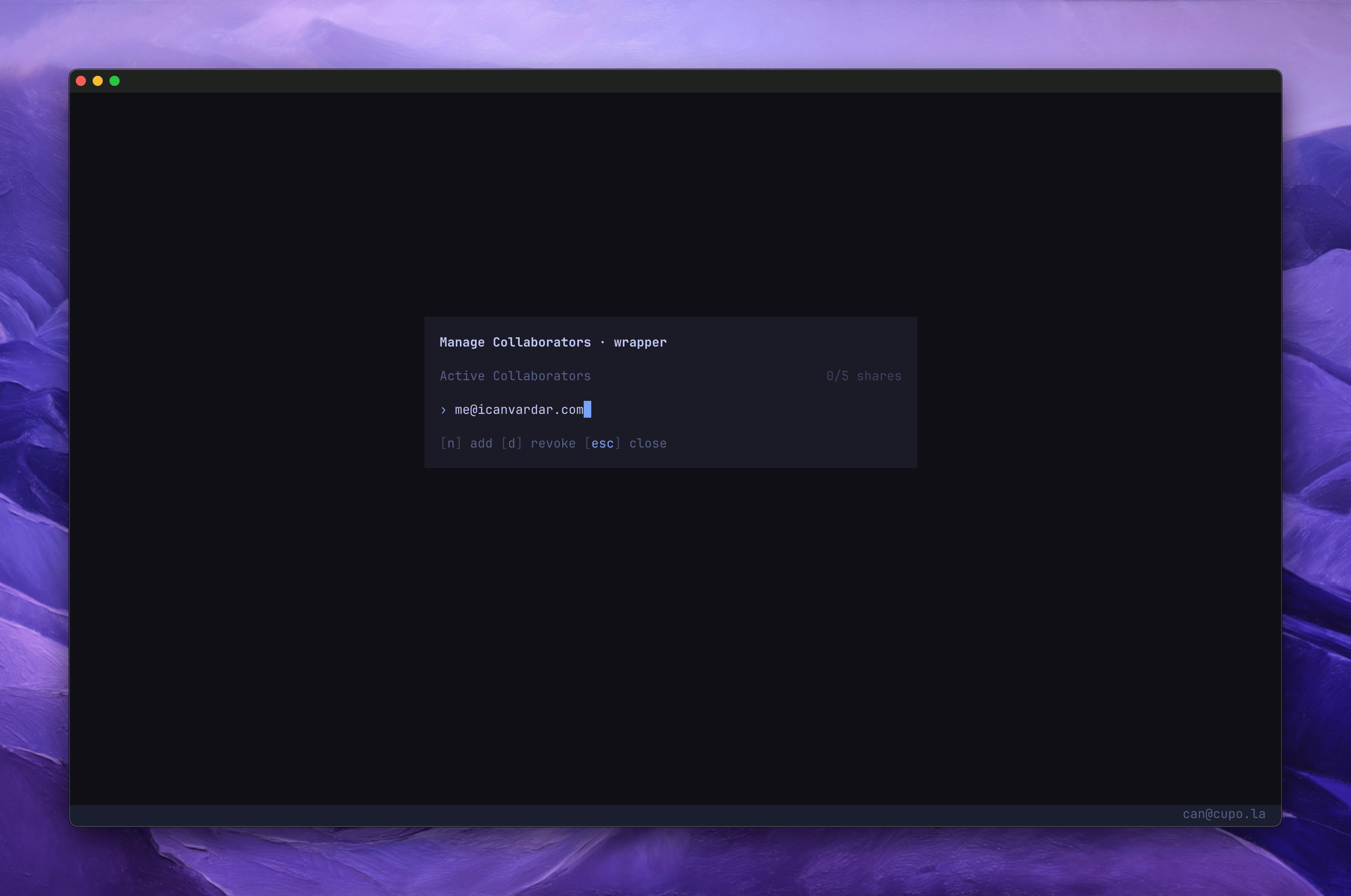 The collaborator must already have a Relic account with encryption keys set up. They will receive an email notification.
| Key | Action |
| - | - |
| `c` | Open collaborator modal |
| `n` | Add collaborator |
| `j` / `k` | Navigate collaborator list |
| `d` | Revoke collaborator |
| `Esc` | Close modal |
## Revoking Access
When you revoke a collaborator, you have two options:
### Revoke only
The collaborator's share is marked as revoked. They can no longer fetch secrets. However, they previously had access to the project key.
Press `d` on a collaborator, then `y` to confirm.
### Revoke with key rotation
For maximum security, revoke with key rotation. This generates a new project key and re-encrypts everything.
Press `d` on a collaborator, then `r` to revoke and rotate.
The collaborator loses access immediately.
A fresh AES-256 key is created on your device.
Every secret in the project is decrypted with the old key and re-encrypted with the new key.
This happens entirely on your device.
The new project key is wrapped with each remaining collaborator's public key.
The key version is bumped. All CLI caches are invalidated so the next `relic run` fetches fresh
data.
Use revoke with rotation if you suspect the collaborator may have extracted the project key.
Otherwise, a simple revoke is sufficient since they can no longer fetch encrypted secrets from the
server.
## Permissions
| Action | Owner | Collaborator |
| - | - | - |
| View secrets | Yes | Yes |
| Create / edit secrets | Yes | Yes |
| Delete secrets | Yes | Yes |
| Create environments | Yes | Yes |
| Delete environments | Yes | Yes |
| Add collaborators | Yes | No |
| Revoke collaborators | Yes | No |
| Archive project | Yes | No |
| Rename project | Yes | No |
Only the project owner can manage collaborators and archive the project.
## Limits
| Plan | Shares per project |
| - | - |
| Free | Not available |
| Pro | 5 included, additional shares at \$5 each |
Sharing requires the Pro plan. If you exceed the included shares, the TUI will prompt you to confirm the additional cost before proceeding.
See [Security & Encryption](/configuration/security) for the full cryptographic details of how project sharing works.
This documentation is built and hosted on [Mintlify](https://mintlify.com), a developer documentation platform.
The collaborator must already have a Relic account with encryption keys set up. They will receive an email notification.
| Key | Action |
| - | - |
| `c` | Open collaborator modal |
| `n` | Add collaborator |
| `j` / `k` | Navigate collaborator list |
| `d` | Revoke collaborator |
| `Esc` | Close modal |
## Revoking Access
When you revoke a collaborator, you have two options:
### Revoke only
The collaborator's share is marked as revoked. They can no longer fetch secrets. However, they previously had access to the project key.
Press `d` on a collaborator, then `y` to confirm.
### Revoke with key rotation
For maximum security, revoke with key rotation. This generates a new project key and re-encrypts everything.
Press `d` on a collaborator, then `r` to revoke and rotate.
The collaborator loses access immediately.
A fresh AES-256 key is created on your device.
Every secret in the project is decrypted with the old key and re-encrypted with the new key.
This happens entirely on your device.
The new project key is wrapped with each remaining collaborator's public key.
The key version is bumped. All CLI caches are invalidated so the next `relic run` fetches fresh
data.
Use revoke with rotation if you suspect the collaborator may have extracted the project key.
Otherwise, a simple revoke is sufficient since they can no longer fetch encrypted secrets from the
server.
## Permissions
| Action | Owner | Collaborator |
| - | - | - |
| View secrets | Yes | Yes |
| Create / edit secrets | Yes | Yes |
| Delete secrets | Yes | Yes |
| Create environments | Yes | Yes |
| Delete environments | Yes | Yes |
| Add collaborators | Yes | No |
| Revoke collaborators | Yes | No |
| Archive project | Yes | No |
| Rename project | Yes | No |
Only the project owner can manage collaborators and archive the project.
## Limits
| Plan | Shares per project |
| - | - |
| Free | Not available |
| Pro | 5 included, additional shares at \$5 each |
Sharing requires the Pro plan. If you exceed the included shares, the TUI will prompt you to confirm the additional cost before proceeding.
See [Security & Encryption](/configuration/security) for the full cryptographic details of how project sharing works.
This documentation is built and hosted on [Mintlify](https://mintlify.com), a developer documentation platform.